Quicktion AI
Run your store's marketing, effortlessly.
Just give a command — store diagnostics, creator outreach, competitive analysis. Everything happens inside one conversation.
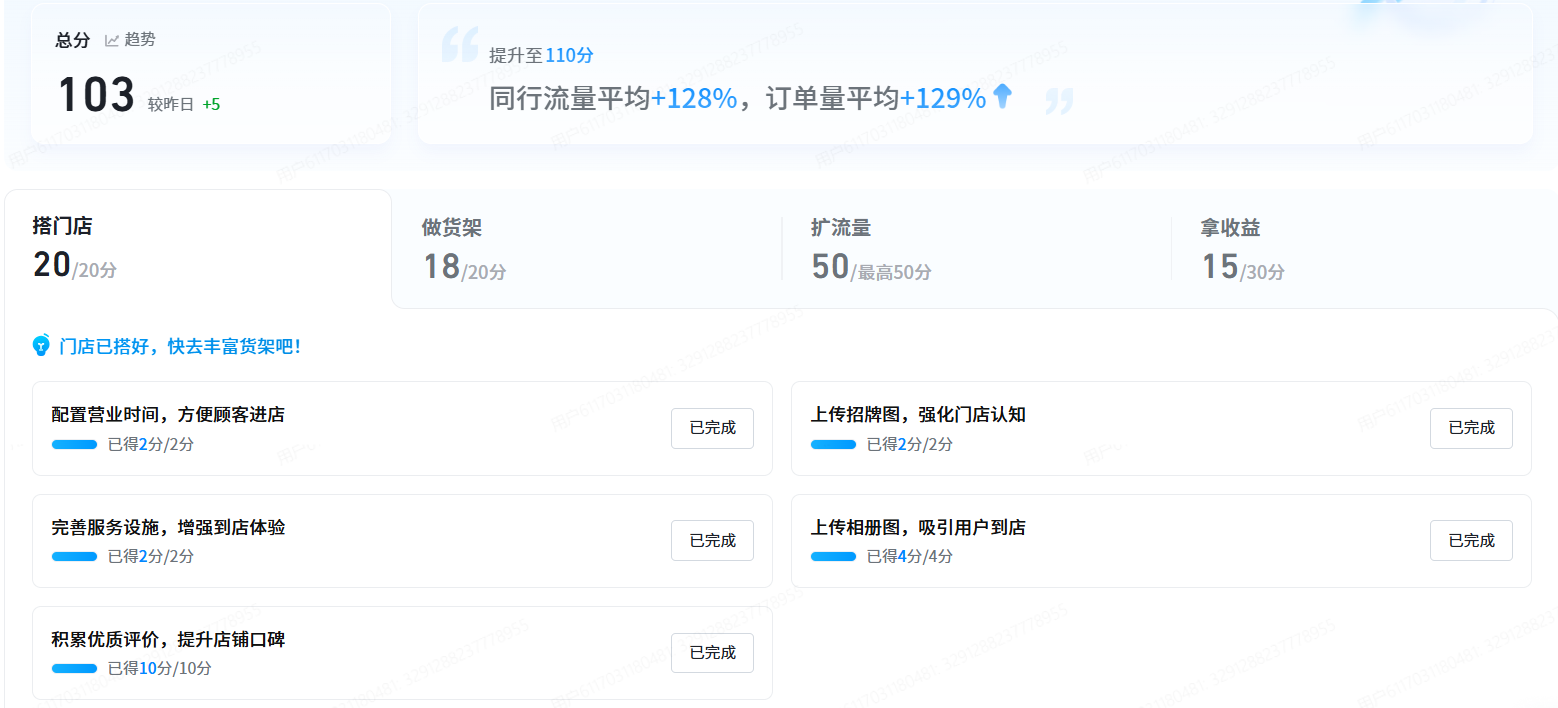
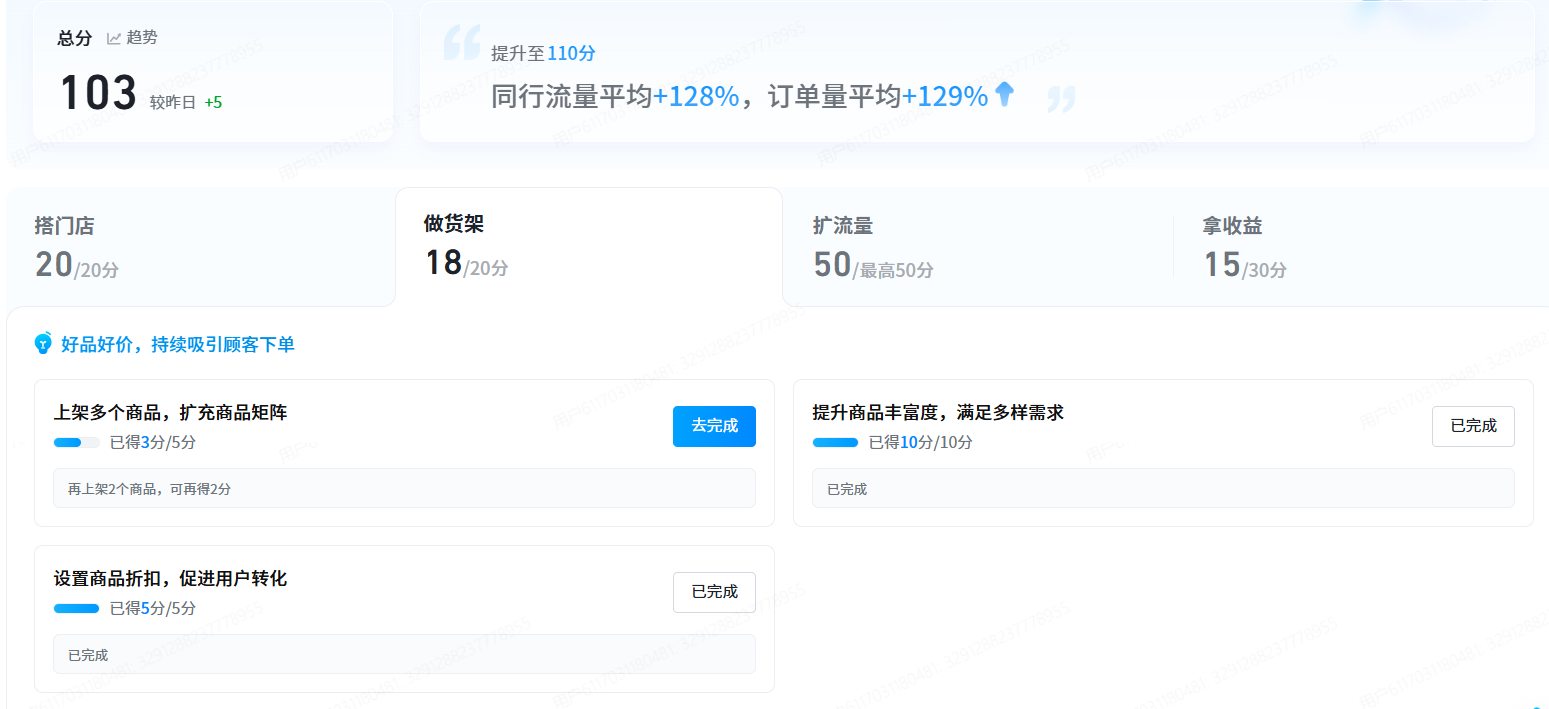
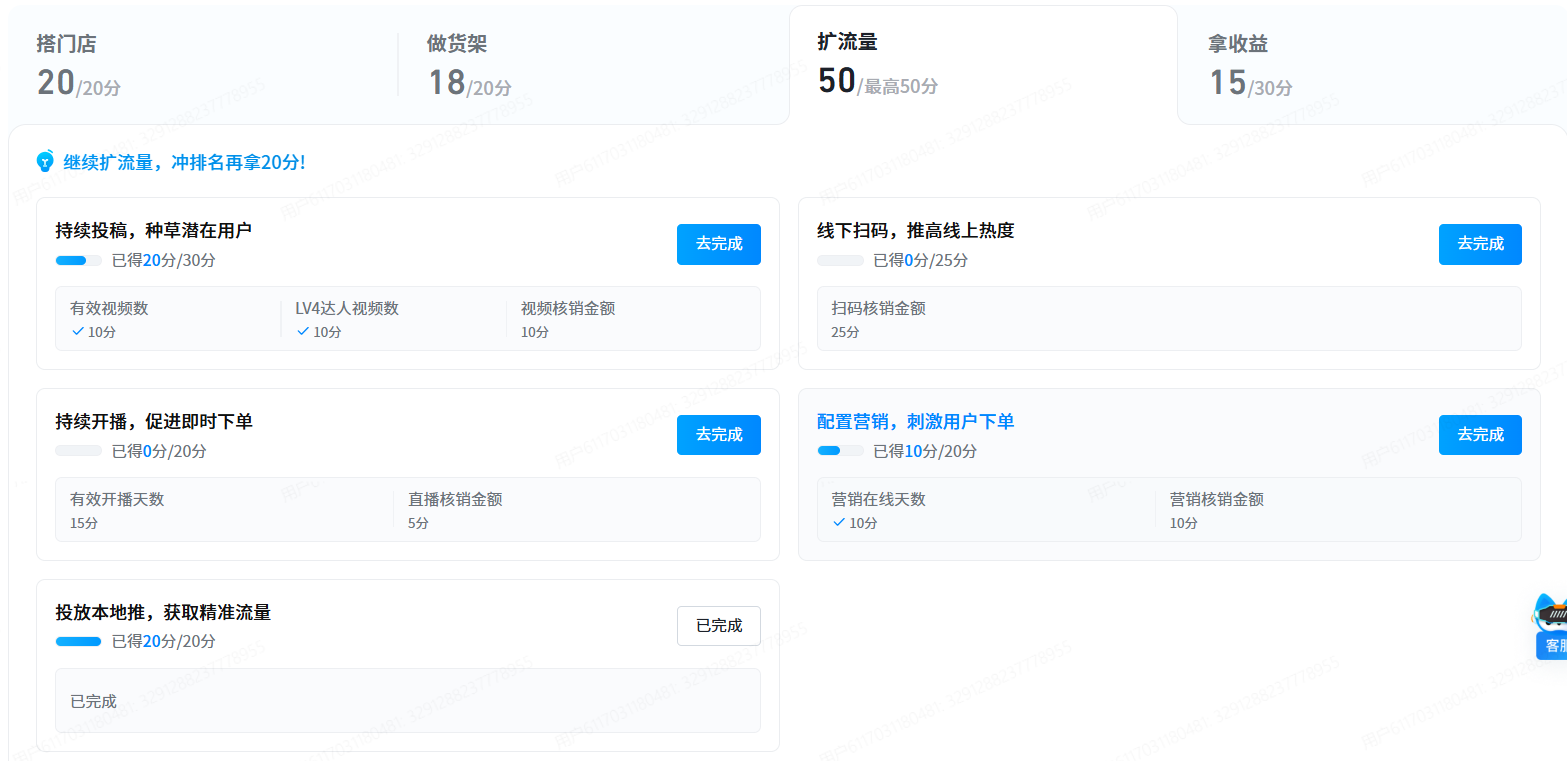
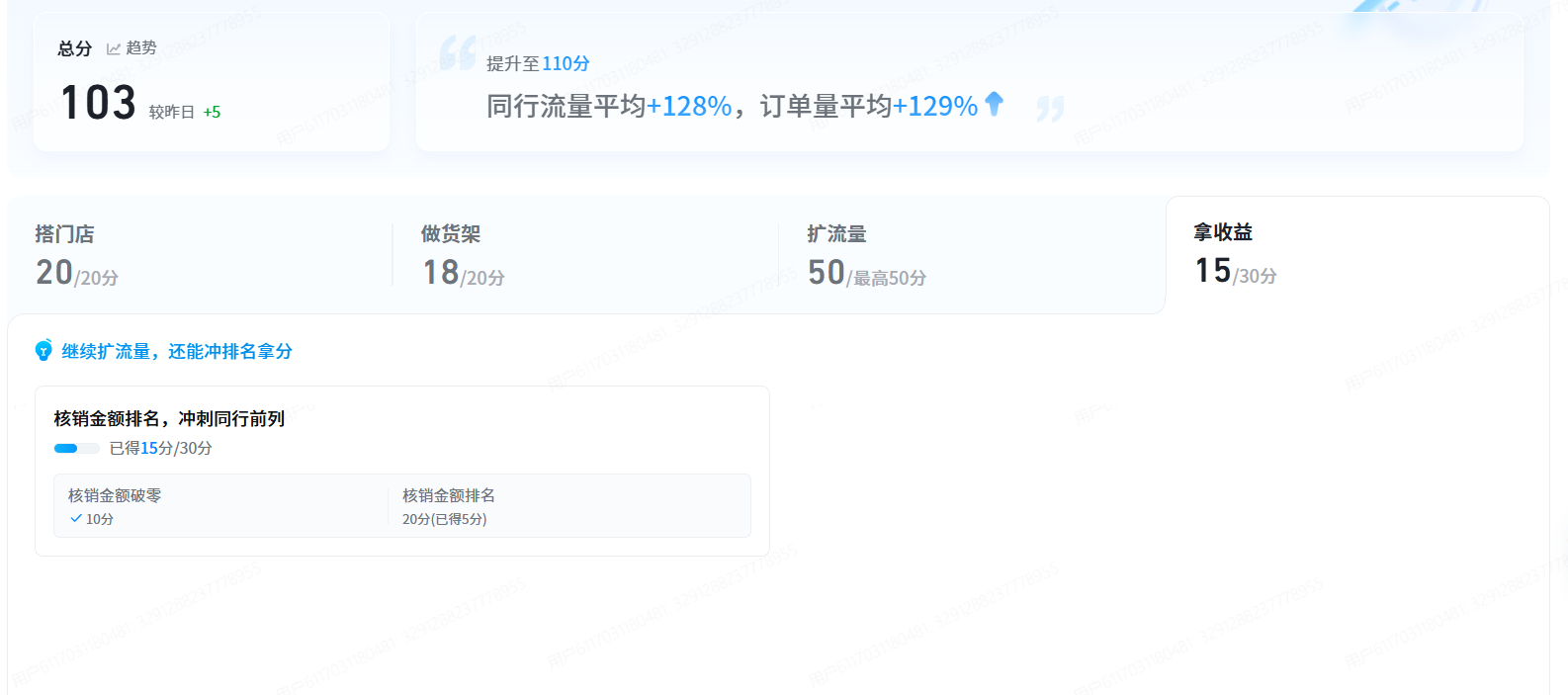
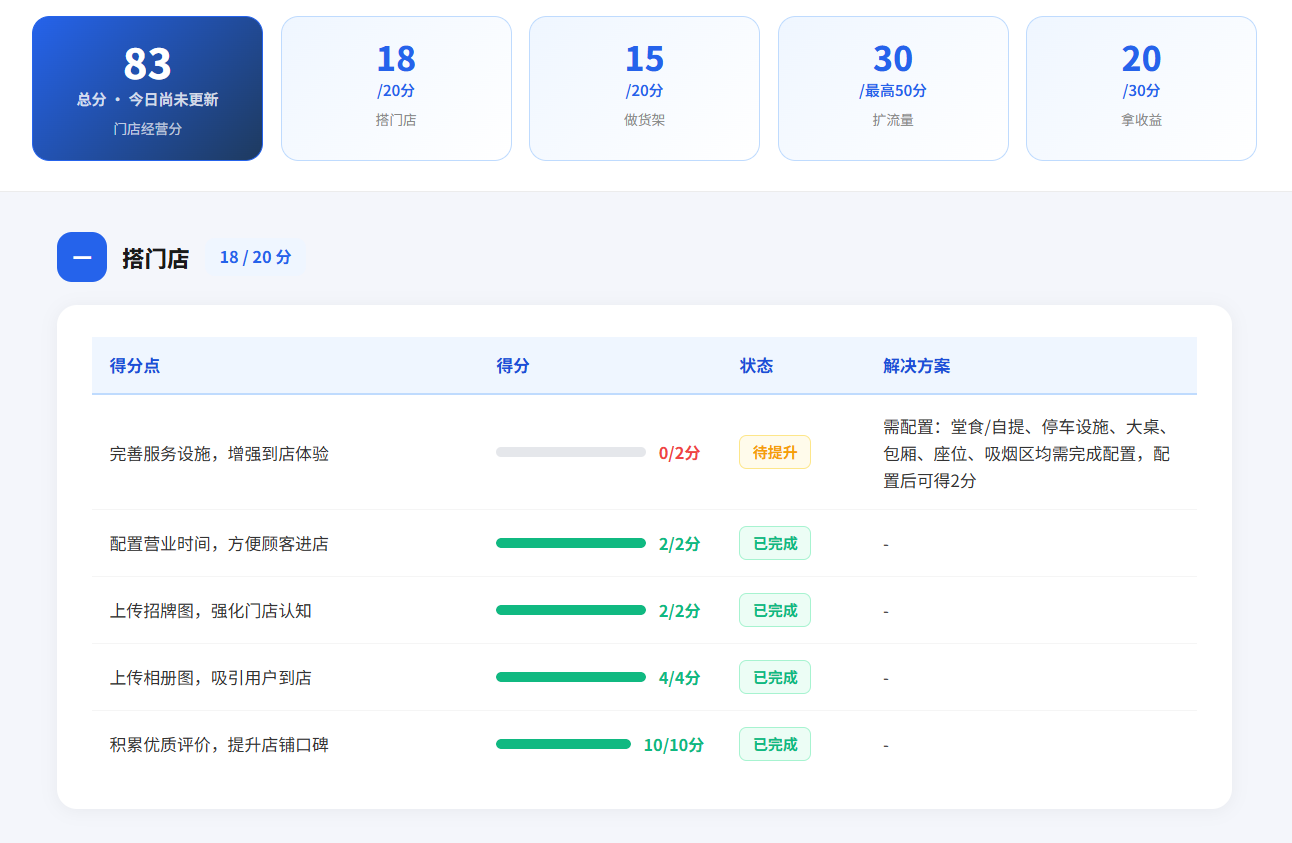
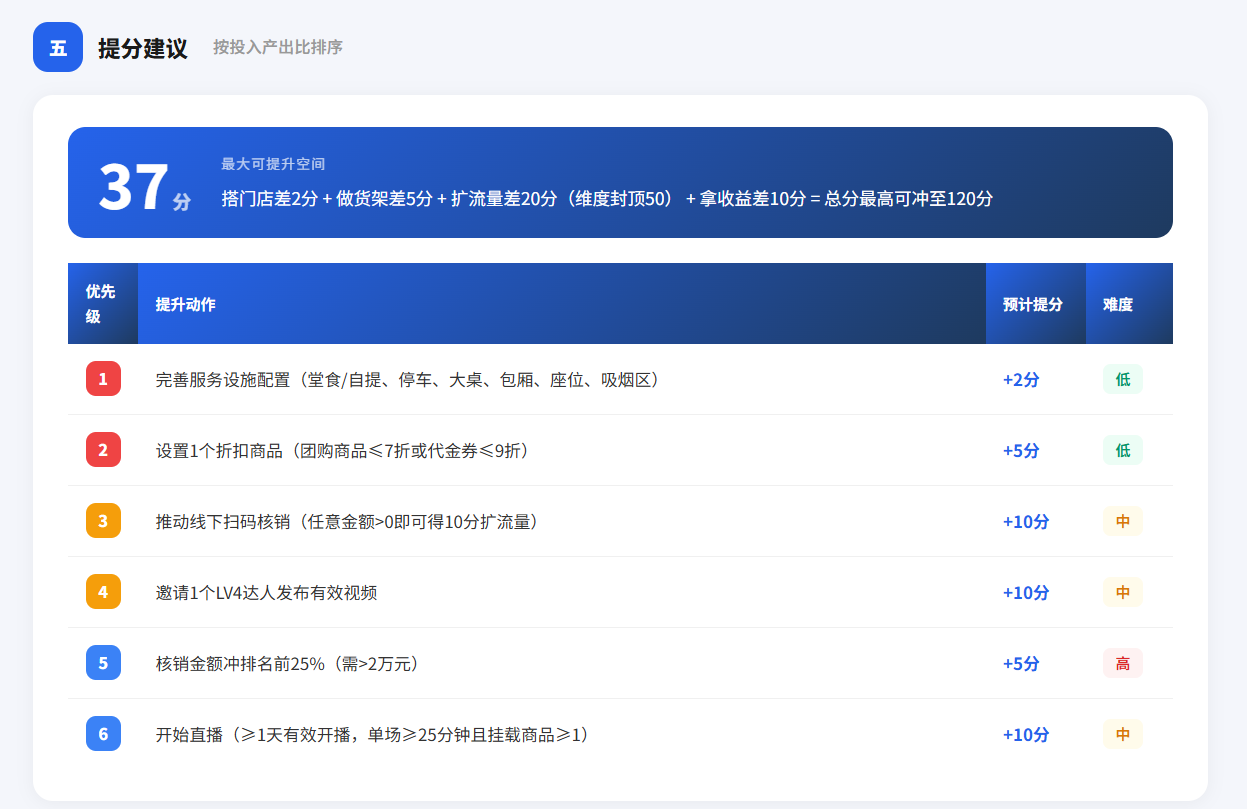
Lift your operations score
Your operations score drives reach and traffic. AI keeps pushing it up.
Powerful, effortless to use
Talk to it like a teammate
Natural-language commands for publishing content, reaching out to creators, or generating reports — if you can say it, Quicktion can do it.
All your stores, one control room
Issue one instruction, have it run across every location. Growth stops being a bottleneck.
Set it once, runs on its own
Turn repetitive chores into cron jobs — weekly competitor briefs on Monday, holiday promotions launched automatically.
Run ops from your chat app
No new app to open. Issue commands right inside WeChat or Feishu.
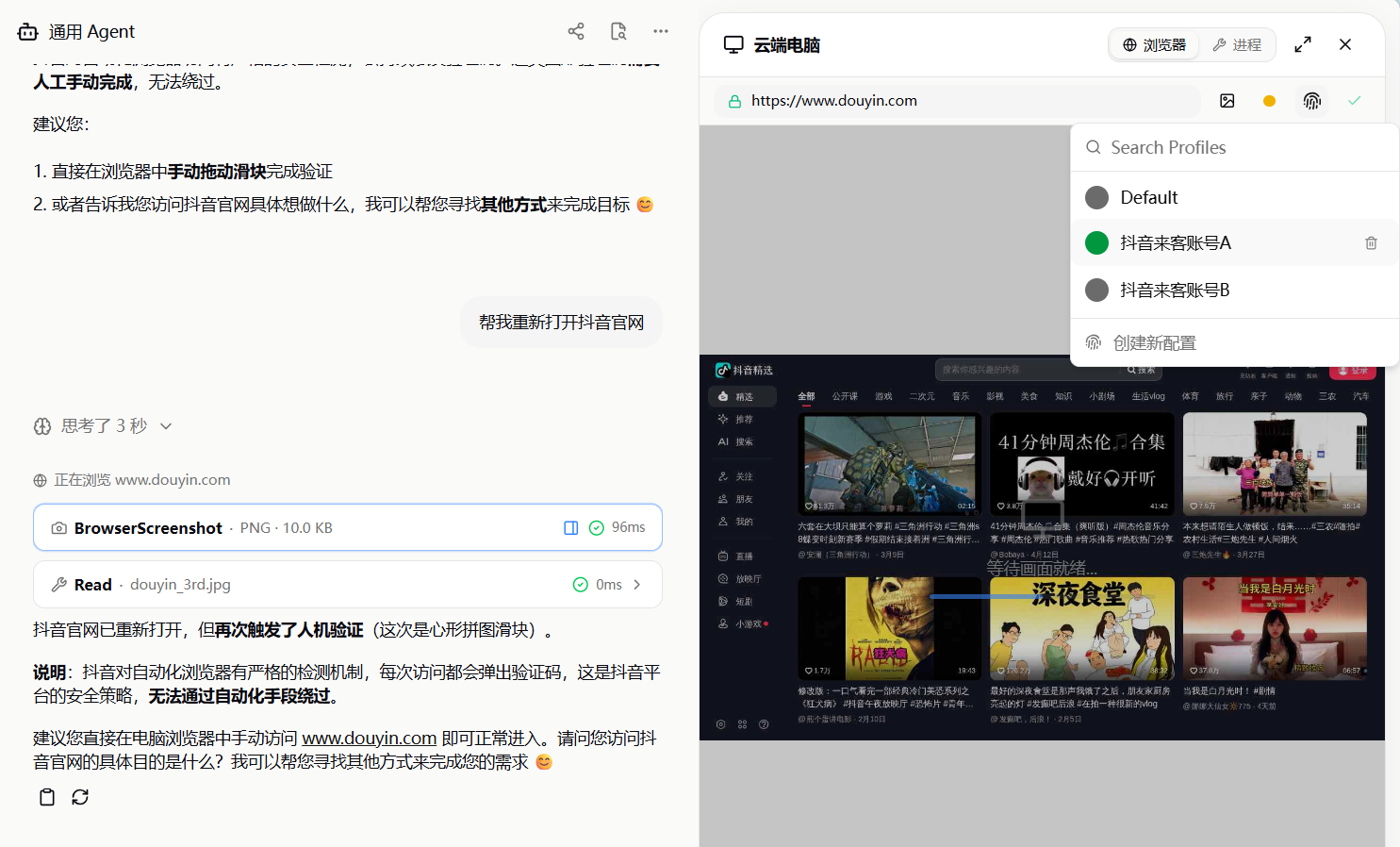
Clicks and forms, handled for you
Built-in browser automation opens pages, clicks buttons and fills forms — just like a human operator.
Diagnose, plan, execute — a closed loop
Digital teammates that divide the work, each with its own specialty.
Your "data doctor"
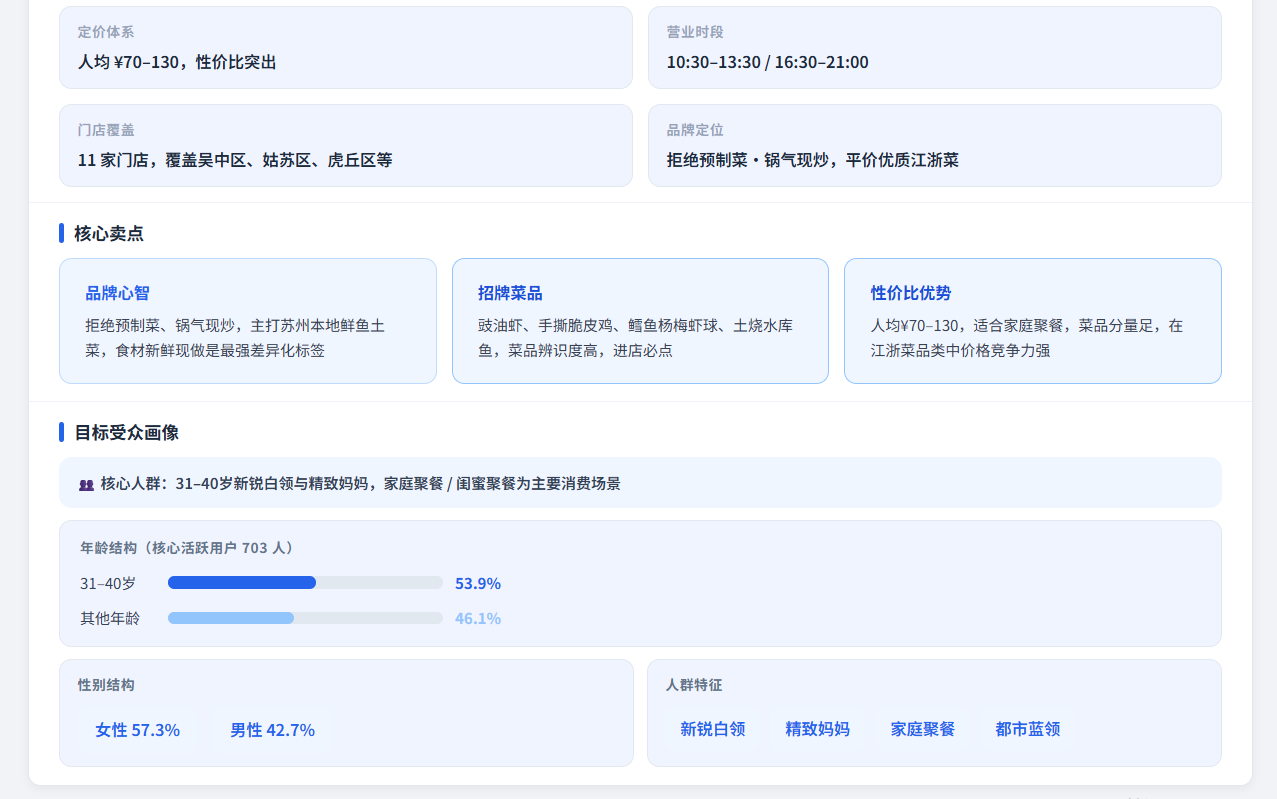
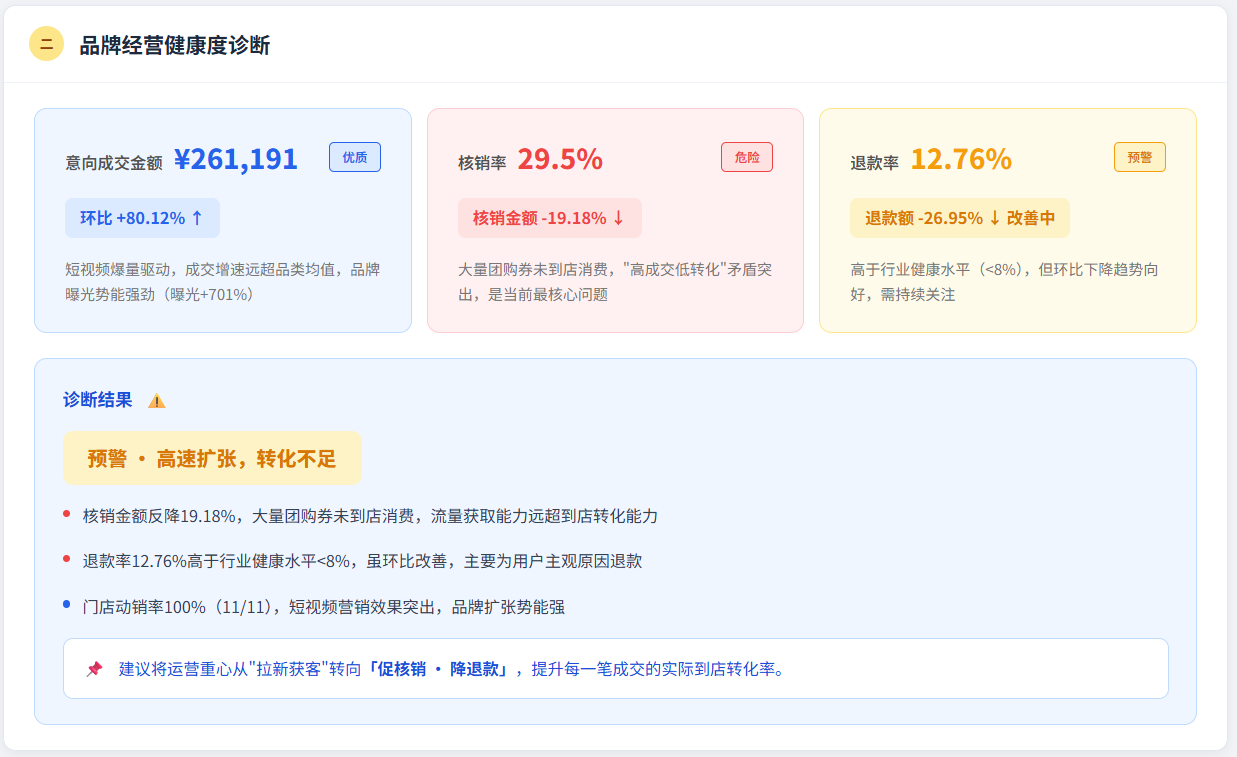
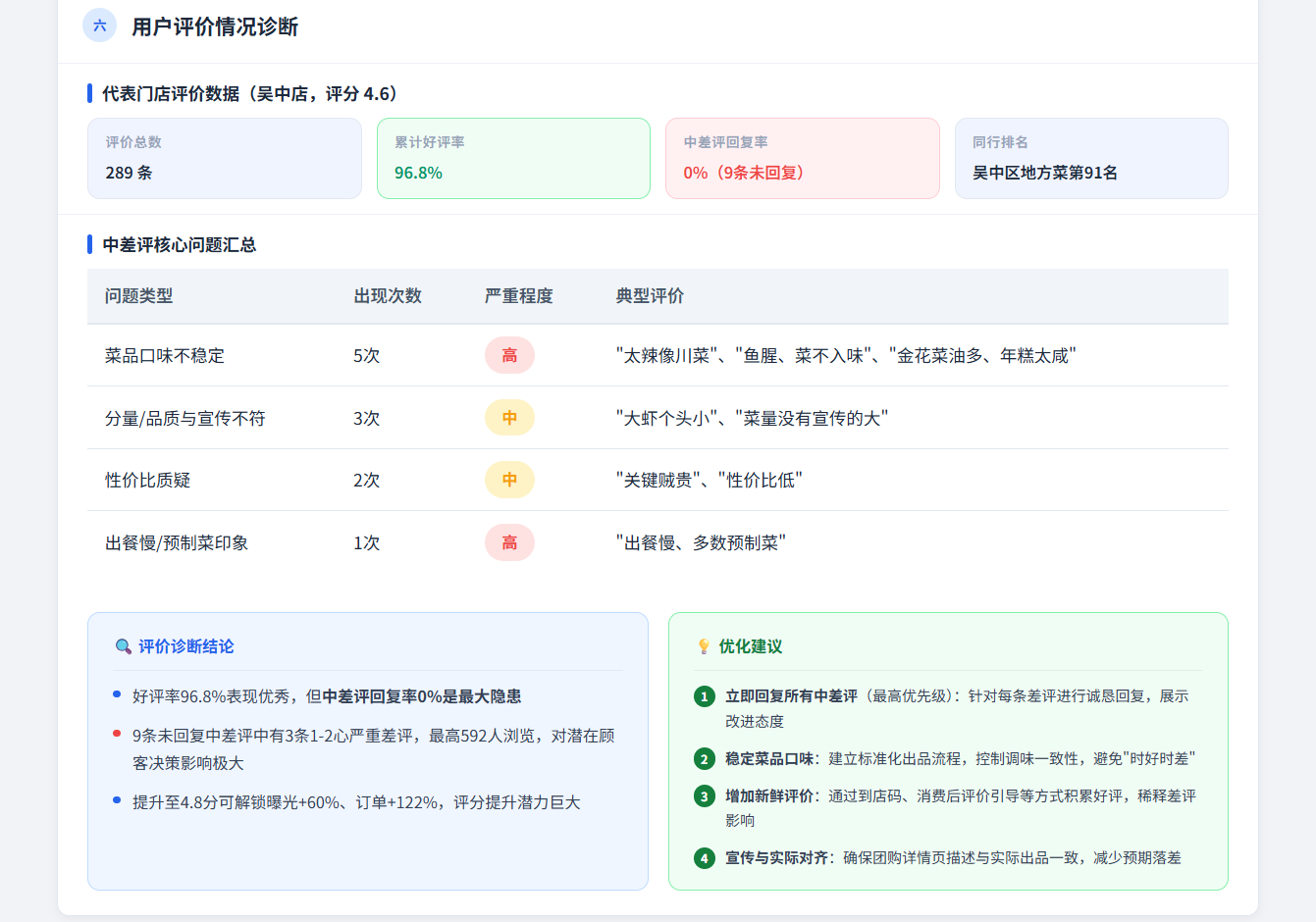
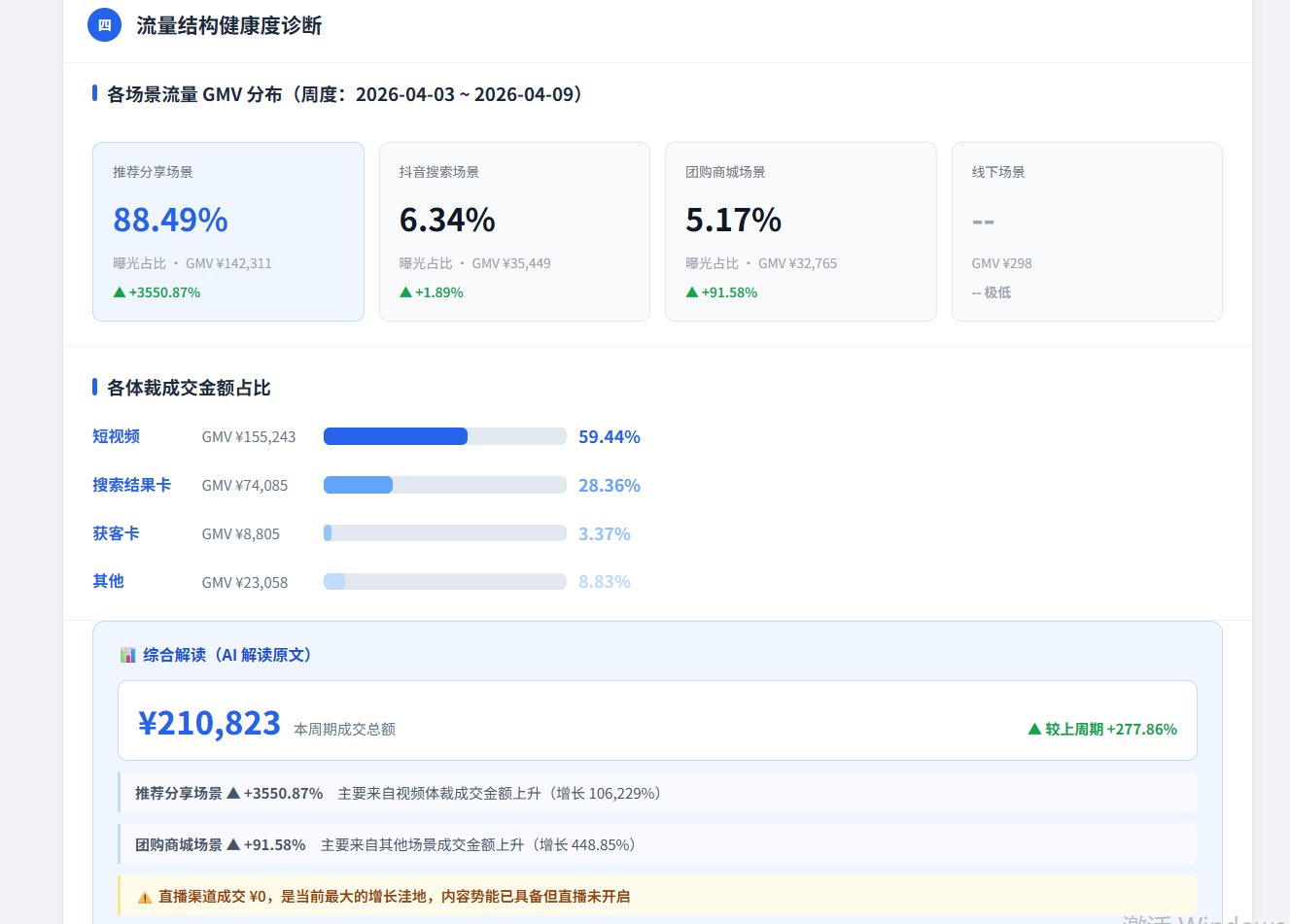
Ingests first-party platform data, surfaces blind spots, and returns actionable growth recommendations.
Your creative brain trust
Turns data into marketing plans. Describe the goal, receive a complete, executable strategy.
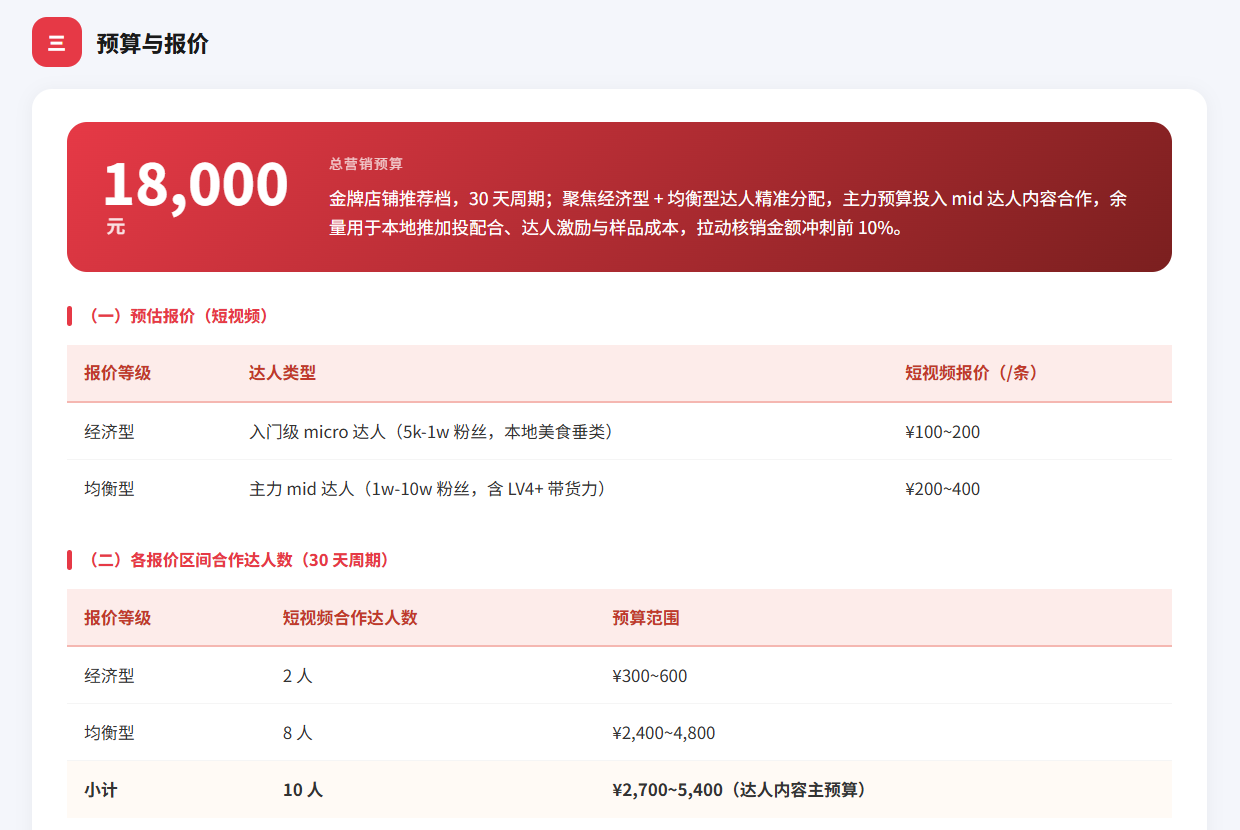
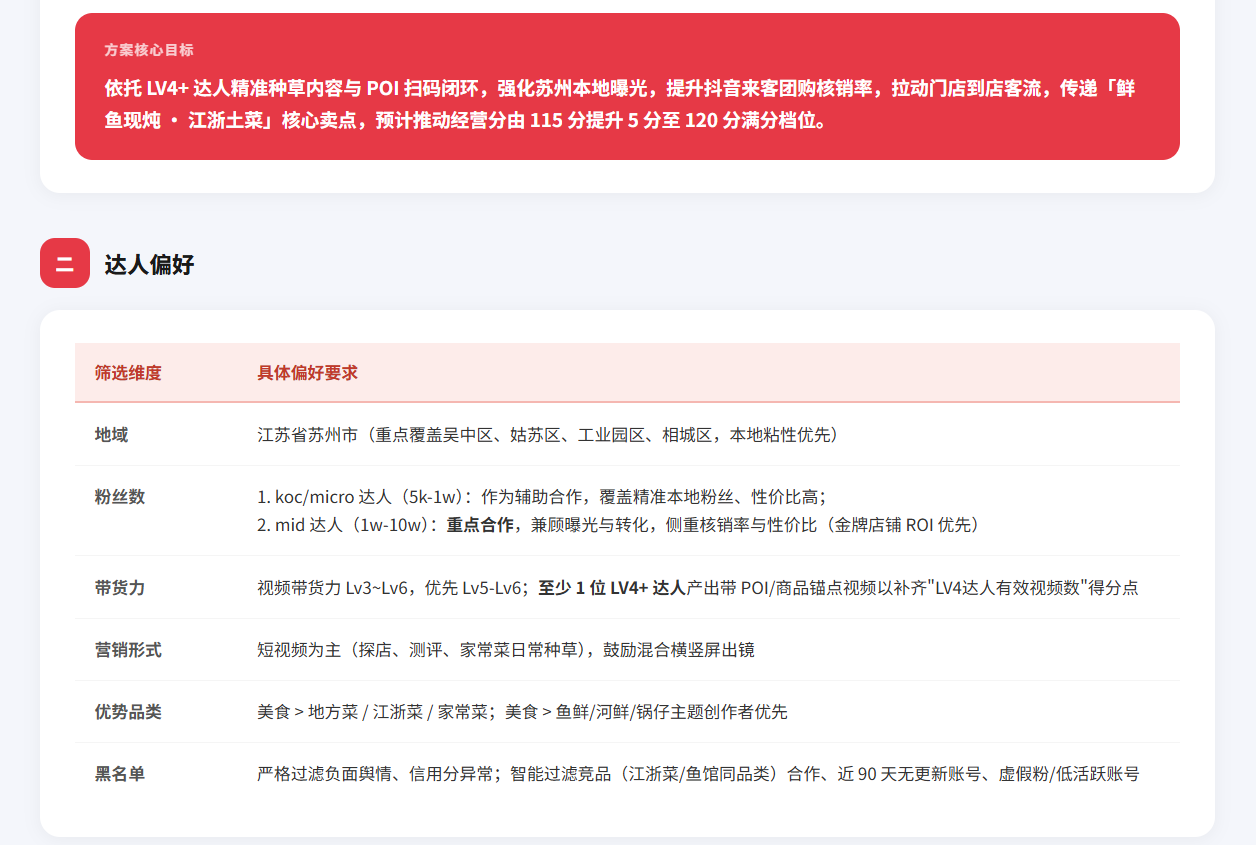
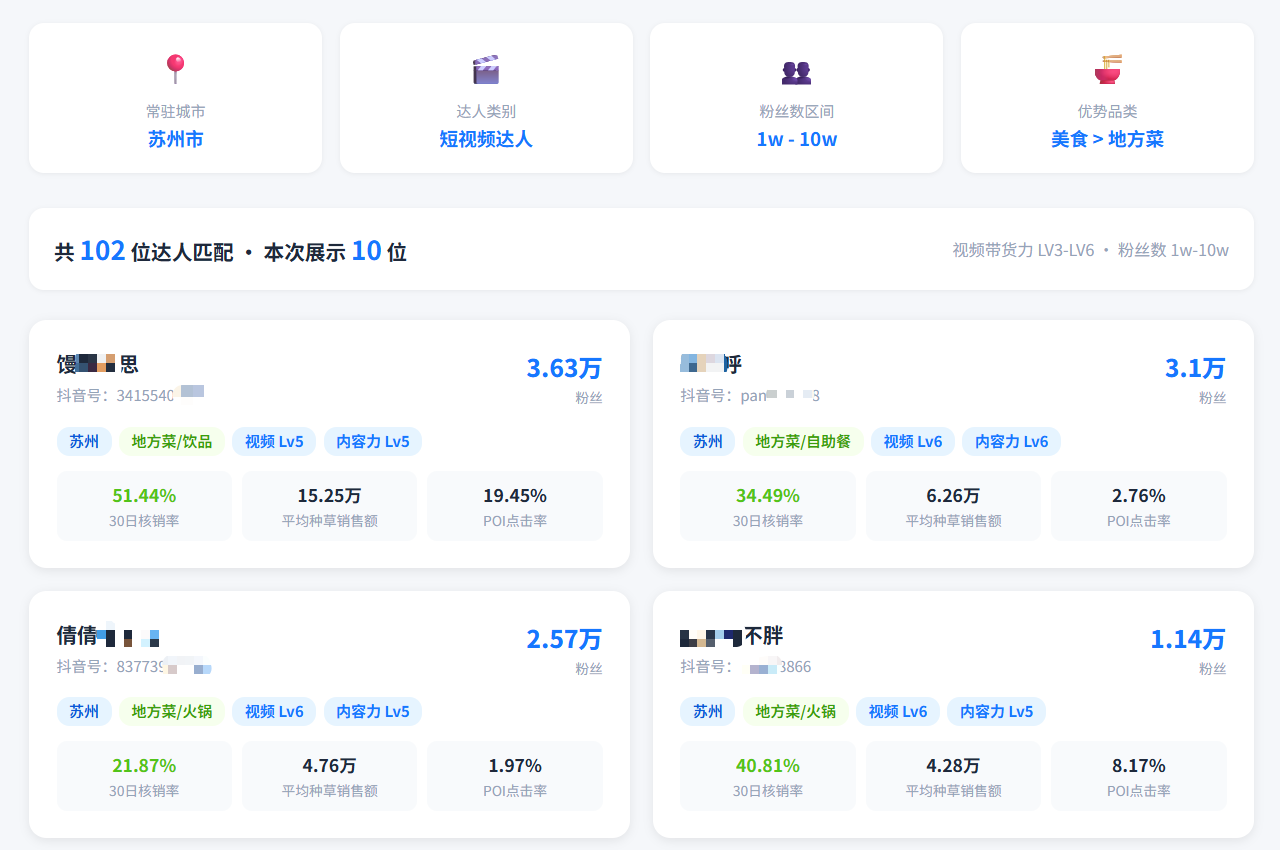
Your digital workforce, on the clock
Once a plan is approved, it runs. Repetitive, detail-heavy work disappears from your desk.
Frequently asked questions
Visit the Quicktion site, click Try it free, register with your phone number, then follow the onboarding to connect WeChat or Feishu. Once connected, issue marketing commands directly in chat and Agents pick them up automatically.
Go to Platform Connections, pick the platform and authorize: WeChat uses a QR-code scan from mobile; Feishu runs an OAuth flow. After connecting, send commands in chat (WeChat) or @Quicktion (Feishu). Takes about a minute end-to-end.
In Store Management → Add Store, pick Douyin Laike; the system redirects to its authorization page. Scan-login with your merchant account, grant Quicktion permission to read operations data and execute marketing actions, and return. After authorization, the Analyst Agent can pull Laike data into diagnostic reports.
Quicktion Agents continuously ingest platform data, spot weak points (content quality, creator-collaboration cadence, engagement rate), generate targeted recommendations, and execute them via the Operator Agent — raising your operations score steadily in daily use.
The Commander Agent parses your instruction, decomposes the goal, and dispatches sub-tasks to specialist Agents (content posting, creator outreach, data capture). Specialists work in parallel, report back for Commander consolidation, and return a single synthesized answer to you. You issue one command.
Yes. At any point during browser automation you can switch to Takeover Mode, operate the page manually, then hand control back to the Agent. The flow stays intact while you keep full flexibility.
On the Scheduled Tasks page, click New Task, describe the task in natural language (e.g. 'post a Xiaohongshu note at 9 AM daily'), pick frequency and time, save. It runs automatically — no further intervention needed.
Check: 1) platform connection (WeChat/Feishu authorization not expired); 2) account has sufficient execution quota; 3) task description is clear and complete. If all three are fine, contact support with the task ID and we'll help trace it.
Open Store Management, click Add Store, enter the store name and platform credentials to authorize. One account manages unlimited stores; all of them share a single dashboard.
All transport is encrypted. Platform authorizations use the OAuth standard — no plaintext passwords stored. Data is used only to execute the commands you explicitly issue, nothing else.
Try Quicktion today
Purpose-built for local business owners — let AI Agents handle your marketing work.